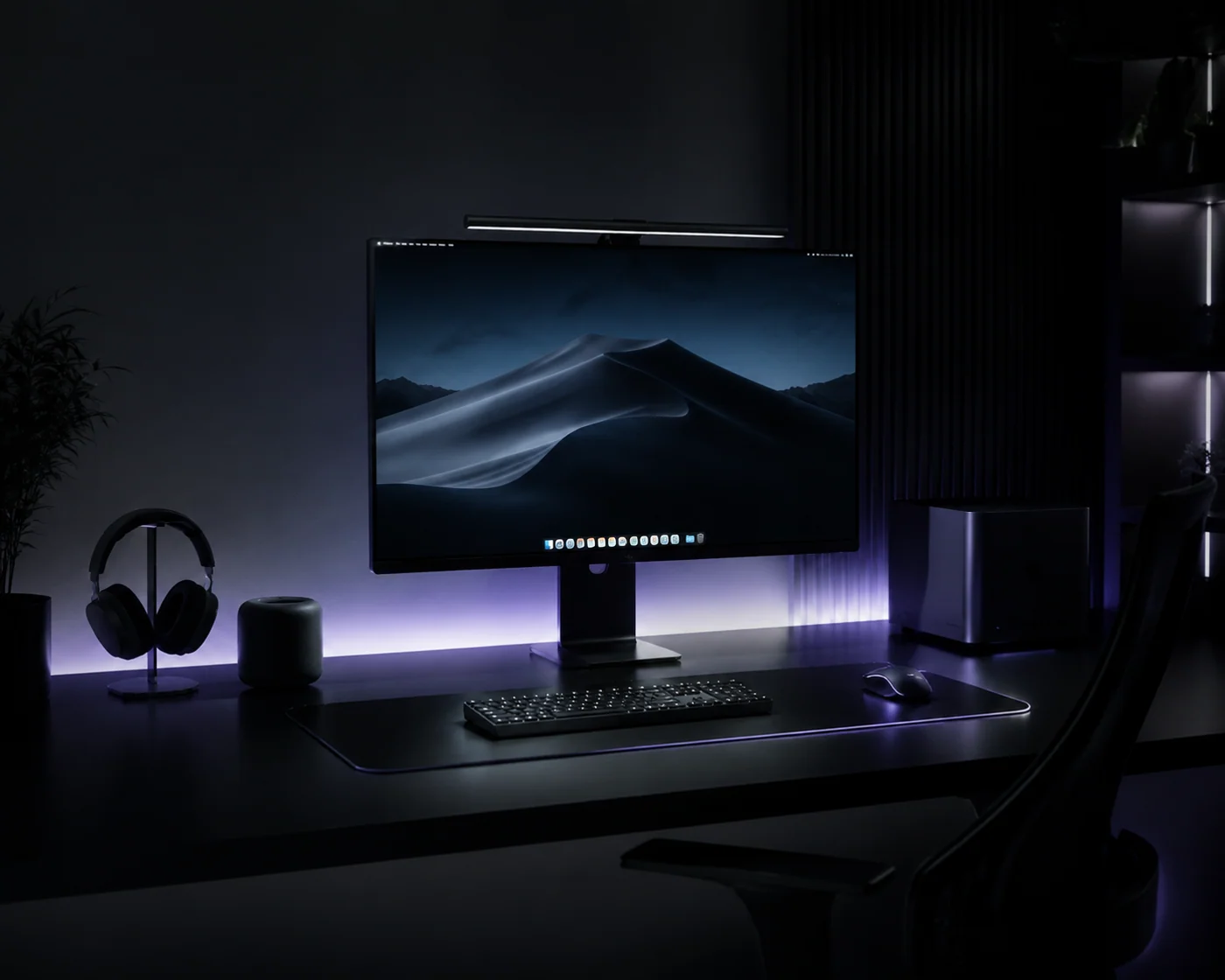
For the past decade, workstation culture sold us a compelling lie: More screens equal more productivity. Tech influencers proudly posted photos of triple-monitor arms, curved battle stations, and massive display walls. But behind those aesthetic setups lies a growing epidemic among knowledge workers — micro-distractions, context-switching fatigue, and chronic neck strain.
When your field of view is packed with email clients on the left, Slack threads on the right, and a primary document in the middle, your brain is under constant cognitive assault. Every peripheral notification badge triggers a micro-ping of cortisol. You aren't working faster; you are simply fracturing your focus across multiple visual planes.
This is why a growing community of software engineers, writers, designers, and financial analysts are quietly abandoning multi-screen clutter in favor of a deliberate, single-monitor ergonomic setup. Paired with intentional peripherals like the Logitech Lift Vertical Ergonomic Mouse, consolidating your visual field rebuilds deep focus while physically protecting your body from long-term repetitive strain injuries (RSI).
“Multitasking on three screens isn't high performance; it's high-speed context switching. True deep work happens when your entire visual field is locked onto a single, uninterrupted task.”
— The Single-Display Productivity Rule1. The Cognitive Psychology of Single-Screen Focus
Why does shrinking your screen real estate often boost your daily output? It comes down to Context Switching Costs. Cognitive science research reveals that every time your eyes dart from a main code editor or document to check a side screen displaying a team chat, your brain takes up to 20 minutes to fully regain deep focus state.
When you restrict yourself to a single high-quality Ultrawide (34-inch) or 4K 27-inch display, you force a disciplined window hierarchy:
- One Primary Active Window: What you are creating right now occupies 80% of your visual field.
- No Passive Distractions: Email and messaging apps stay minimized until you deliberately call them up via hotkeys.
- Reduced Cervical Spine Rotation: No more swiveling your neck 45 degrees left and right hundreds of times per hour, directly reducing neck and upper trapezius stiffness.
THE ERGONOMIC ANCHOR PERIPHERAL
2. Anatomy of Wrist Strain: The 57-Degree Solution
While fixing your screen setup protects your neck and visual focus, your mouse choice dictates the health of your right hand, forearm, and shoulder. Standard flat mice are secretly an anatomical disaster.
When you lay your hand flat on a traditional mouse, your forearm bones (radius and ulna) are twisted into an unnatural state known as forearm pronation. Holding this flat position for 8 hours a day compresses the median nerve inside your carpal tunnel and puts continuous tension on your extensor muscles.
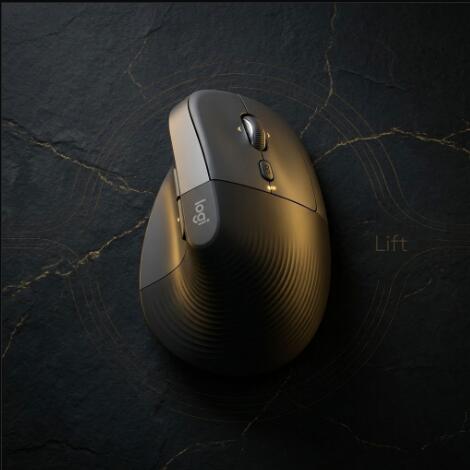
The Logitech Lift Vertical Ergonomic Mouse places your hand in what ergonomists call the "Natural Handshake Position" set at a precise 57-degree vertical angle.
- Zero Pronation Twist: Your forearm rests in its natural, relaxed rest state, completely taking pressure off the carpal tunnel.
- Soft Textured Rubber Grip: Provides a subtle, tactile hold so you don't squeeze tightly while navigating.
- Ideal for Small-to-Medium Hands: Unlike the older, bulkier Logitech MX Vertical (which was designed for large hands), the Lift was engineered specifically to fit small-to-medium hand profiles comfortably.
“Resting your hand at a 57-degree handshake angle feels weird for the first 10 minutes. By day three, traditional flat mice feel like a medieval strain device.”
— Ergonomic User Consensus3. Everyday Usability & Workspace Integration
A good ergonomic tool cannot compromise on core functionality. In real-world daily testing across spreadsheets, photo editing, and heavy web research, the Logitech Lift delivers performance features inherited from Logitech's high-end MX line:
- SmartWheel Precision: MagSpeed-inspired scrolling automatically switches between line-by-line precision mode and hyper-fast free-spin scrolling with a quick flick of your index finger.
- Whisper-Quiet Clicks: Click dampening reduces button noise by over 80%, making it perfect for quiet home offices, libraries, or open-plan workspaces.
- Multi-Device Flow (Logi Options+): Instantly pair with up to 3 devices via Bluetooth Low Energy or the included Logi Bolt USB receiver. Switch seamlessly between a Mac Air and a Windows PC with the press of a bottom button.
- Insane 24-Month Battery Life: Powered by a single AA battery (included in the box) that lasts up to two full years without needing recharging cables cluttering your desk mat.
4. Head-to-Head Comparison: Logitech Lift vs MX Master 3S vs MX Vertical
Choosing the right mouse for a minimalist ergonomic setup requires matching the device to your hand size and workflow needs. Here is how the Lift stacks up against Logitech's flagship siblings:
| Mouse Model | Price | Grip Angle | Recommended Hand Size | Key Advantage |
|---|---|---|---|---|
| Logitech Lift | ~$69.99 | 57° Vertical | Small to Medium | Natural handshake fit, silent clicks, ultra-compact |
| Logitech MX Vertical | ~$99.99 | 57° Vertical | Medium to Large | Rechargeable USB-C, larger surface area for big hands |
| Logitech MX Master 3S | ~$99.99 | Flat / Semi-Angled | Medium to Large | Electromagnetic scroll wheel, side thumb wheel for video editing |
| Anker Vertical Mouse | ~$25.00 | 45° Vertical | Medium | Ultra-budget entry level, but loud clicks and plastic finish |
5. Styling a Minimalist Ergonomic Desk Setup
An ergonomic setup doesn't have to look like a medical clinic. You can build a warm, minimalist aesthetic by following a few layout principles:
The Single-Monitor Desk Layout Formula:
Position a single 27-inch 4K or 34-inch Curved Ultrawide monitor on an adjustable heavy-duty monitor arm. Keep the top third of the display at eye level to maintain a neutral head tilt. Pair it with a dark felt or leather desk mat, a compact 75% mechanical keyboard, and the Logitech Lift sitting neatly on the right.
Available in Graphite, Off-White, and Rose, the Lift's matte finish and organic curve match clean wooden, dark ink, or monochromatic workspace themes effortlessly without adding ugly wire clutter.
- Scientific 57° handshake angle eliminates forearm twist
- Fits small-to-medium hands perfectly (where most mice fail)
- Silent-click buttons prevent workspace noise pollution
- SmartWheel switches between speed and precision automatically
- 2-year battery life on a single standard AA battery
- Seamless 3-device Bluetooth/Logi Bolt connectivity
- Not suited for large hands (use MX Vertical instead)
- Uses AA battery rather than internal USB-C rechargeable pack
- No horizontal thumb scroll wheel like the MX Master 3S
- Requires a brief 2-day muscle memory adjustment curve
6. The Verdict: Streamline Your Desk, Save Your Wrist
If you are struggling with daily context switching, visual clutter, or subtle wrist soreness after long computer sessions, adding another monitor isn't the solution — simplifying your environment is.
Ditching multi-screen distractions for a clean single-monitor layout, paired with the scientific wrist relief of the Logitech Lift Vertical Mouse, is one of the highest-yield upgrades you can make to your daily workflow. It protects your focus, eliminates forearm strain, and brings calm back to your workspace.
Frequently Asked Questions (FAQ)
Q1: Why choose a single monitor over dual or triple screen setups?
Single-monitor setups eliminate continuous cervical spine twisting and reduce the cognitive cost of peripheral distractions like Slack and email feeds. By maintaining a single primary focus plane, knowledge workers reduce context switching and visual fatigue.
Q2: How does the Logitech Lift compare to the larger Logitech MX Vertical?
The Logitech Lift is scaled specifically for small-to-medium hand sizes, featuring whisper-quiet acoustic buttons and a 2-year AA battery compartment. The MX Vertical is 22% larger, utilizes a rechargeable USB-C battery, and fits medium-to-extra-large hands.
Q3: What are the shipping and warranty details on Amazon for the Logitech Lift?
The Logitech Lift qualifies for Free 1-to-2 Day Prime Shipping in the United States, official Logitech 1-Year Limited Hardware Warranty protection, and 30-day hassle-free returns.
READY TO RECLAIM YOUR WORKSPACE FOCUS?