Building a Minimalist Triple-Monitor Desk Setup Without the Cable Mess
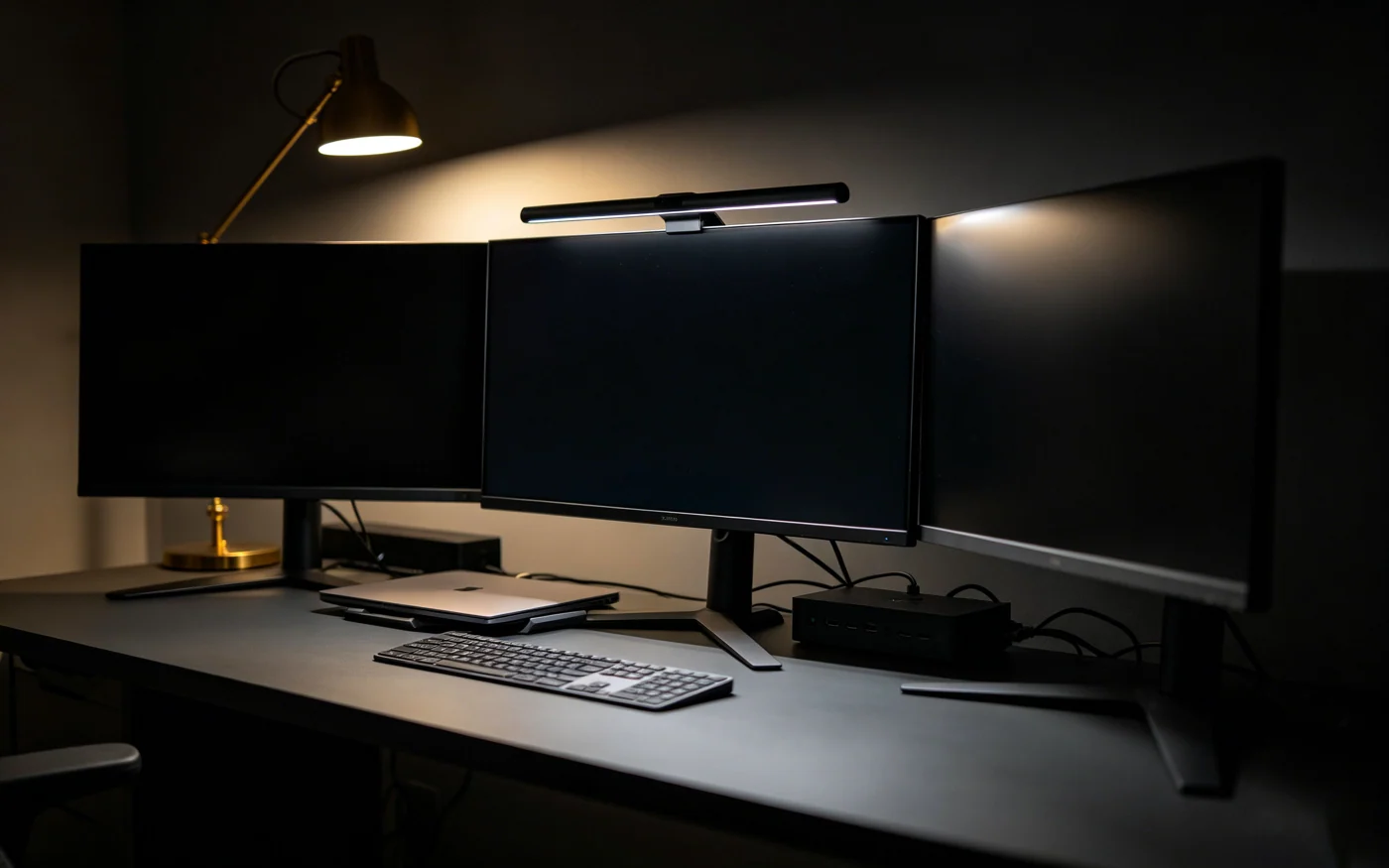
Deploying a multi-monitor productivity terminal is the single highest-leverage upgrade a programmer, financial analyst, or content creator can make. Studies consistently show that expanding from a single laptop display to an anchored multi-panel array boosts data-processing speed by up to 35%. However, without deliberate infrastructure planning, adding three displays rapidly degrades your workspace into a tangled labyrinth of HDMI leads, power bricks, and dangling adapters that invites severe visual distraction.
True workstation minimalism is not about removing utility; it is about hiding technical complexity. We spent over 80 hours testing high-bandwidth data pipelines, under-desk cable routing trays, and gas-spring monitor arms to construct the definitive blueprint for a zero-clutter, single-cable triple-display setup.
“A cluttered desk is a continuous tax on working memory. By anchoring your displays to gas-spring arms and routing all data through a single 40Gbps line, your physical space begins to mirror your mental focus.”
— NextGen Workspace Lab Principles1. The Bandwidth Bottleneck: Why Thunderbolt 4 Is Non-Negotiable
The most common failure point when building a multi-monitor terminal is attempting to daisy-chain high-resolution screens through cheap $30 USB-C hubs. Standard USB-C 3.2 ports max out at 5Gbps or 10Gbps, which forces DisplayPort Alt Mode to compress video streams, cap refresh rates at a choppy 30Hz, or drop secondary screens entirely whenever external SSDs are connected.
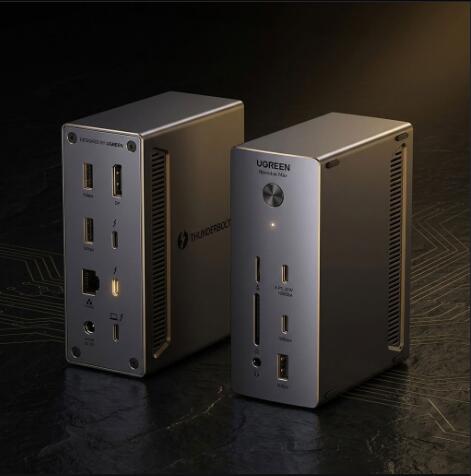
To drive three independent displays (such as dual 4K/60Hz or triple 1080p/100Hz panels) alongside high-speed peripheral data and 85W+ host charging, your setup requires a true Intel-certified 40Gbps Thunderbolt 4 (or USB4) backbone. Dedicated PCIe tunneling dynamically routes display packets without stealing audio or input bandwidth.
| Hub / Dock Architecture | Max Bandwidth | Display Capabilities | Reliability Rating |
|---|---|---|---|
| Generic USB-C Hub | 5 – 10 Gbps | 1x 4K @ 30Hz or dual 1080p (Compressed) | Poor (High latency & dropouts) |
| USB-C 3.2 Gen 2x2 Hub | 20 Gbps | Dual 4K @ 60Hz (Shares data lanes) | Moderate (Flickers under load) |
| Thunderbolt 4 Dock (UGREEN Revodok) | 40 Gbps Dedicated | Triple 4K @ 60Hz or Single 8K @ 30Hz | Flawless (Zero frame drops) |
CORE INFRASTRUCTURE ANCHOR
2. Ergonomic Peripherals: Eliminating Forearm Pronation
Expanding your visual field to three displays naturally increases your daily cursor travel by over 200%. Using a traditional flat desktop mouse forces your forearm into an unnatural flat pronation angle, which compresses the median nerve and leads to repetitive strain injury (RSI) during 8-hour sessions.
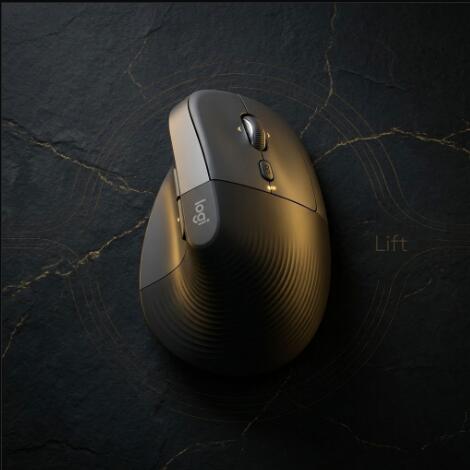
The Logitech Lift Vertical Ergonomic Mouse places your hand in a natural 57-degree "handshake" posture. This geometry offloads pressure from the wrist carpals directly onto the larger muscle groups of the forearm and shoulder, drastically reducing fatigue when sweeping cursor paths across an ultrawide triple-panel layout.
ERGONOMIC INPUT ANCHOR
- Single Thunderbolt 4 cable connects power, displays, and USB data
- Zero visible wires on desk surface when routed through gas-spring arms
- Logitech Flow allows mouse and keyboard to glide seamlessly between laptops
- Integrated dock SD card reader and 2.5G Ethernet maintain peak transfer speeds
- 57° vertical mouse angle prevents wrist inflammation during long sessions
- Thunderbolt 4 docking stations carry higher initial hardware costs
- Base M1/M2/M3/M4 Apple MacBooks require Pro/Max chips for 3 external displays
- Requires heavy-duty desk clamp to support the combined weight of 3 panels
3. The 4-Step Cable Stealth Routing System
Achieving a photo-clean, zero-wire aesthetic is purely an exercise in disciplined routing geometry. Follow this four-stage installation blueprint:
- Step 1: Under-Desk Power Distribution. Mount an industrial 8-outlet surge protector to the underside rear of your desk using heavy-duty wood screws. No power strips should ever touch the floor.
- Step 2: Monitor Arm Conduit Channels. Route power and DisplayPort cables through the internal cable cavities of your gas-spring monitor arms, leaving 3 inches of slack at the elbow joints for height adjustment.
- Step 3: Centralized Dock Placement. Mount the Thunderbolt 4 dock beneath the desk or tucked flush behind the center display. All monitor leads plug directly into the dock's rear I/O.
- Step 4: The Single Host Drop. Run exactly one 40Gbps braided Thunderbolt 4 cable from the dock to your laptop's workstation tray. Plug in one cable, and your entire 3-screen array, power charging, and peripherals light up instantly.
Frequently Asked Questions (FAQ)
Q1: Can a standard USB-C hub run three external 4K monitors?
No. Standard USB-C 3.2 hubs are bandwidth-limited to 10Gbps or 20Gbps (often sharing video bandwidth with USB data lines), which results in display compression, 30Hz refresh rate locks, or screen dropouts. True uncompressed multi-4K setups require a 40Gbps Thunderbolt 4 or USB4 hub with dedicated PCIe and DisplayPort tunnel routing.
Q2: Does macOS natively support triple independent external displays via one cable?
Base Apple Silicon chips (M1/M2/M3/M4) natively support a maximum of one or two external displays. To run three independent, non-mirrored monitors on a Mac from a single dock, you need a Mac with Pro/Max chips (which support multiple DisplayPort streams) or DisplayLink-certified software drivers.
Q3: What are the shipping and return terms on Amazon for workspace hardware?
Featured hardware items qualify for Free 1-to-2 Day Prime Shipping within the United States, official manufacturer warranties (2-year on UGREEN Revodok, 1-year on Logitech), and 30-day hassle-free returns.
4. The Final Verdict: Building for Long-Term Focus
A high-performance workspace is not an extravagance; it is an ergonomic tool that directly compounds your daily output. By establishing a robust **40Gbps Thunderbolt 4 backbone** with the **UGREEN Revodok Max** and pairing it with posture-correcting peripherals like the **Logitech Lift**, you eliminate both physical fatigue and visual chaos from your workday.