10 Functional PC Accessories That Actually Fix Desk Problems
Not another generic "gear list." Every product here is mapped directly to one specific, everyday friction point — afternoon eye fatigue, dead phone batteries, tangled standing desk cables, or poor video call lighting. Tested for genuine transactional value.
TL;DR: Quick Problem-to-Solution Matrix
Eye Strain & Glare: BenQ ScreenBar | Standing Desk Wire Snagging: Yecaye No-Drill Under-Desk Tray | Messy Power Strips: Yecaye Box & Anker Flat-Plug Surge | Port Shortage: Anker 555 8-in-1 USB-C Hub | Neck Slouching: Nulaxy Ergonomic Aluminum Stand.
Most workspace listicles are generic assortments of trendy gadgets. We built this index with one objective: identify real, measurable friction points in a modern desk workflow and provide the exact, tested hardware solution to eliminate them.
Problem: Eye strain & screen glare by 3 PM
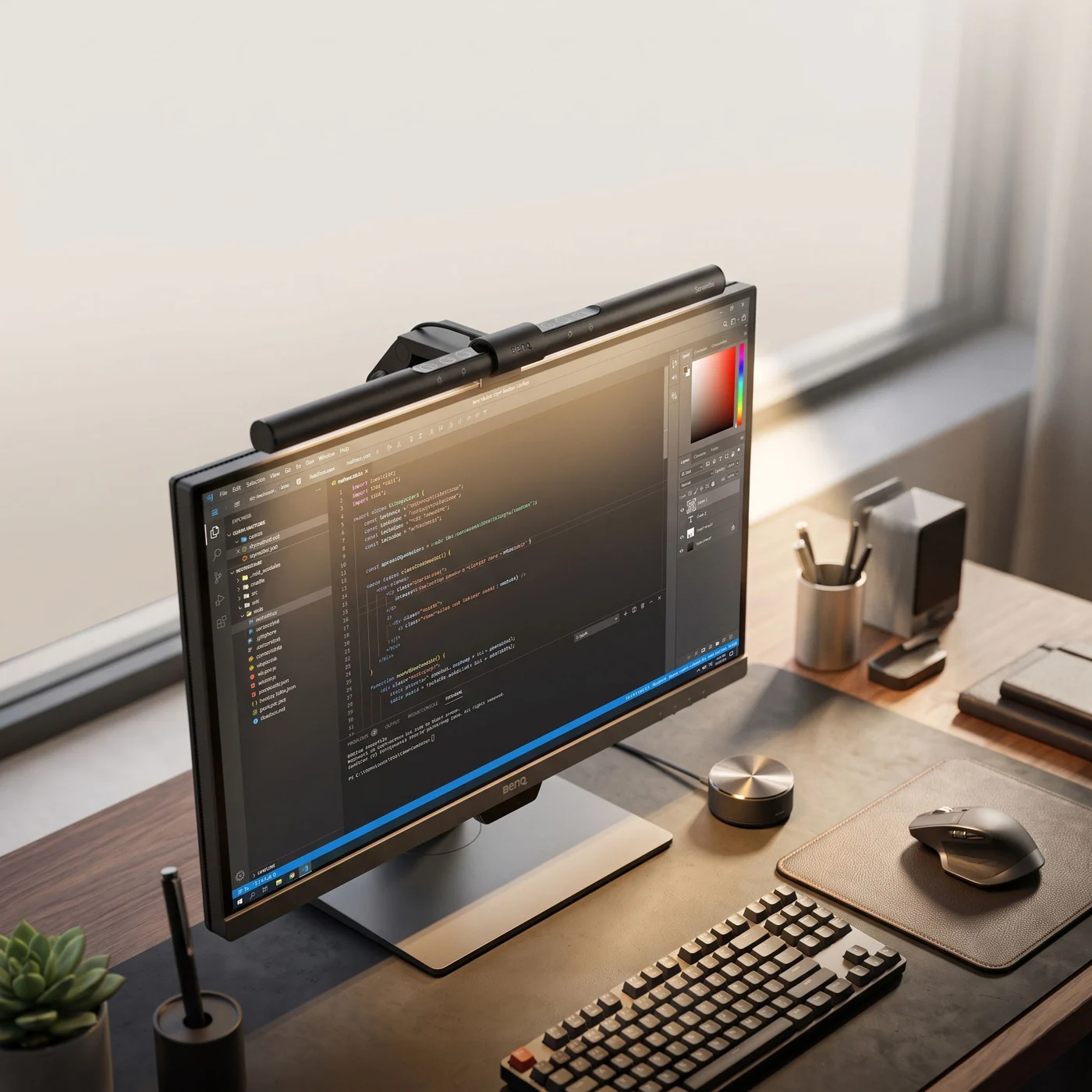
Traditional desk lamps take up prime desktop real estate and reflect directly into glossy monitors. The BenQ ScreenBar mounts directly atop your display, casting an asymmetrical optical beam purely onto your workspace without bouncing back into your eyes or display glass.
What owners like
- Genuinely eliminates screen glare with patented optical cut-off
- Auto-dimming ambient sensor adjusts lux levels dynamically
- Zero desk footprint — clamps onto top monitor bezel
What owners flag
- Premium price tier compared to budget generic light bars
- Touch controls located directly on the light bar body
Good fit if: you spend 4+ hours a day in front of screens and suffer from visual fatigue. Skip it if: you already have soft indirect studio lighting behind your desk.
Problem: Tangled power strips & bulky charging bricks
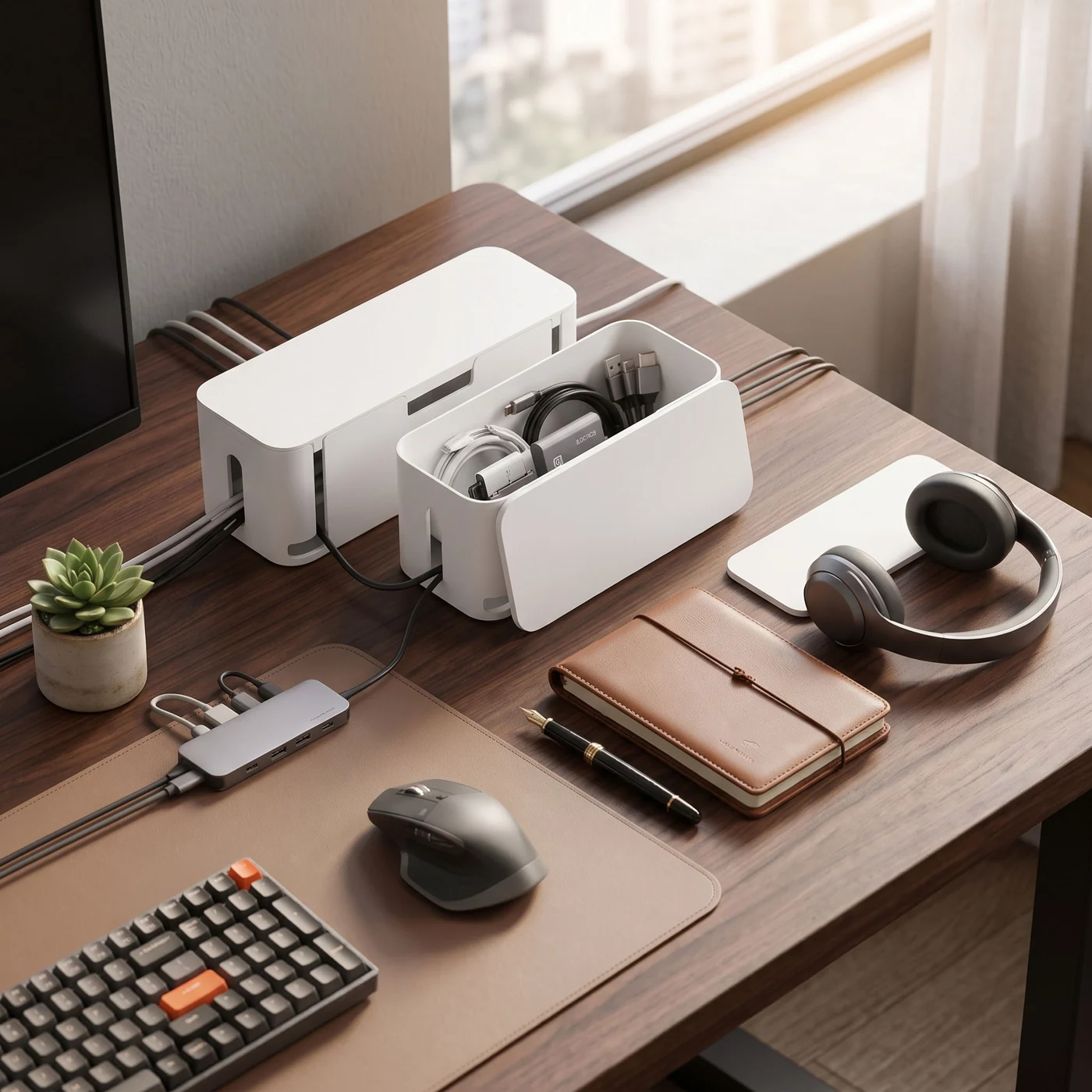
A ventilated ABS box set (Large + Medium) that fully encloses bulky AC adapters and surge strips. It prevents dust accumulation, deters pet wire chewing, and turns chaotic under-desk floor wiring into a sleek monolithic box.
What owners like
- Includes 2 different sizes to fit 6-outlet and 12-outlet surge strips
- Side cutouts allow efficient airflow preventing heat buildup
- Child- and pet-proof snapping lid
What owners flag
- Utilitarian matte plastic finish instead of natural wood grain
- Large box requires dedicated floor real estate
Good fit if: you have loose power strips visible on your floor. Skip it if: you plan to mount everything beneath the desk with screws.
Problem: Phone always dying & missing charging cables
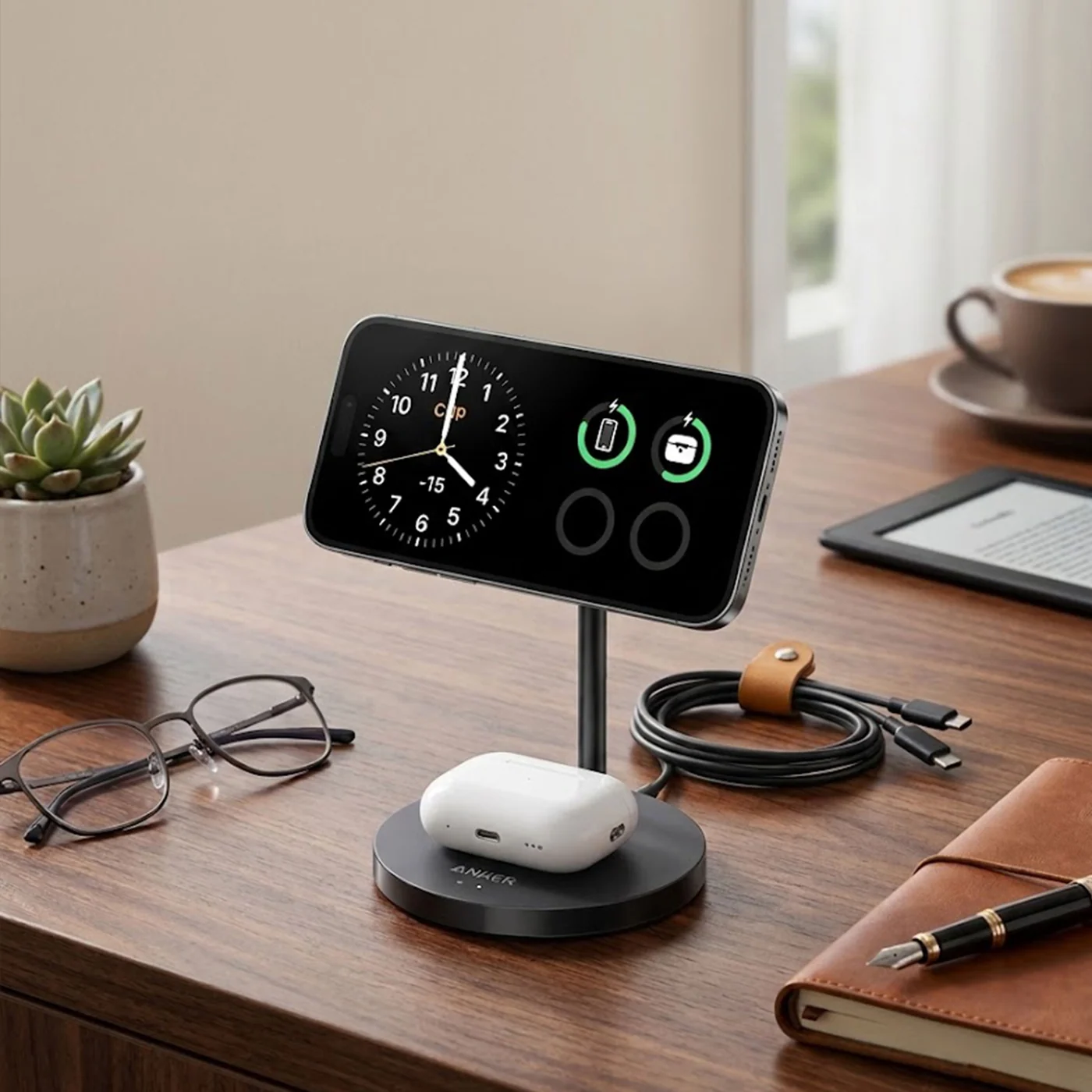
Consolidates iPhone, Apple Watch, and AirPods charging into a single desktop footprint. Built on official Qi2 certification, it delivers true 15W magnetic fast charging without thermal throttling.
What owners like
- Full 15W wireless output matches Apple MagSafe standard
- Folds ultra-flat for travel and business trips
- Replaces 3 standalone charging cables with one clean wire
What owners flag
- Soft-touch silicone surface collects fine dust over time
- Requires magnetic MagSafe compatible phone case
Good fit if: you want an effortless drop-and-charge station for your daily Apple EDC. Skip it if: you strictly require 65W+ ultra-fast wired charging speeds.
Problem: Modern laptops only having 2 USB-C ports
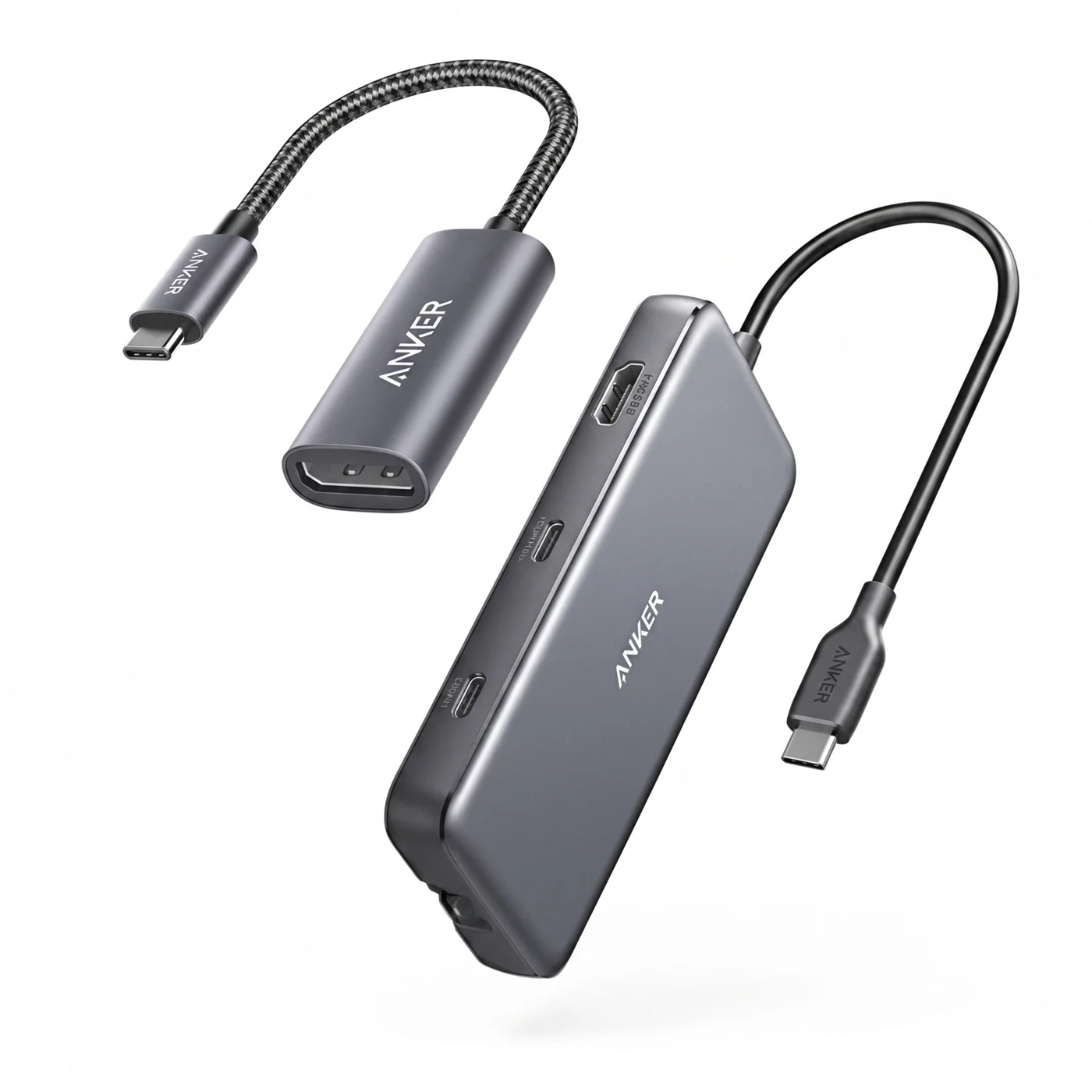
Modern MacBooks and ultrabooks sacrifice legacy I/O for thinness. The Anker 555 expands one Type-C port into butter-smooth 4K@60Hz video, Gigabit Ethernet, SD card slots, and high-speed 10Gbps USB data pipelines with 85W charging.
What owners like
- 4K@60Hz HDMI avoids the laggy 30Hz refresh rate of cheap dongles
- High-speed 10Gbps USB data transfer channels
- Robust pass-through charging powers power-hungry laptops
What owners flag
- Requires 100W PD wall charger to feed full 85W to the host device
- Metal casing gets warm under sustained heavy I/O loads
Good fit if: you connect an external monitor, SD cards, and USB accessories to an ultrabook. Skip it if: you require dual external 4K monitors (look for Thunderbolt 4).
Problem: Wall plugs blocked by tight furniture & power surges
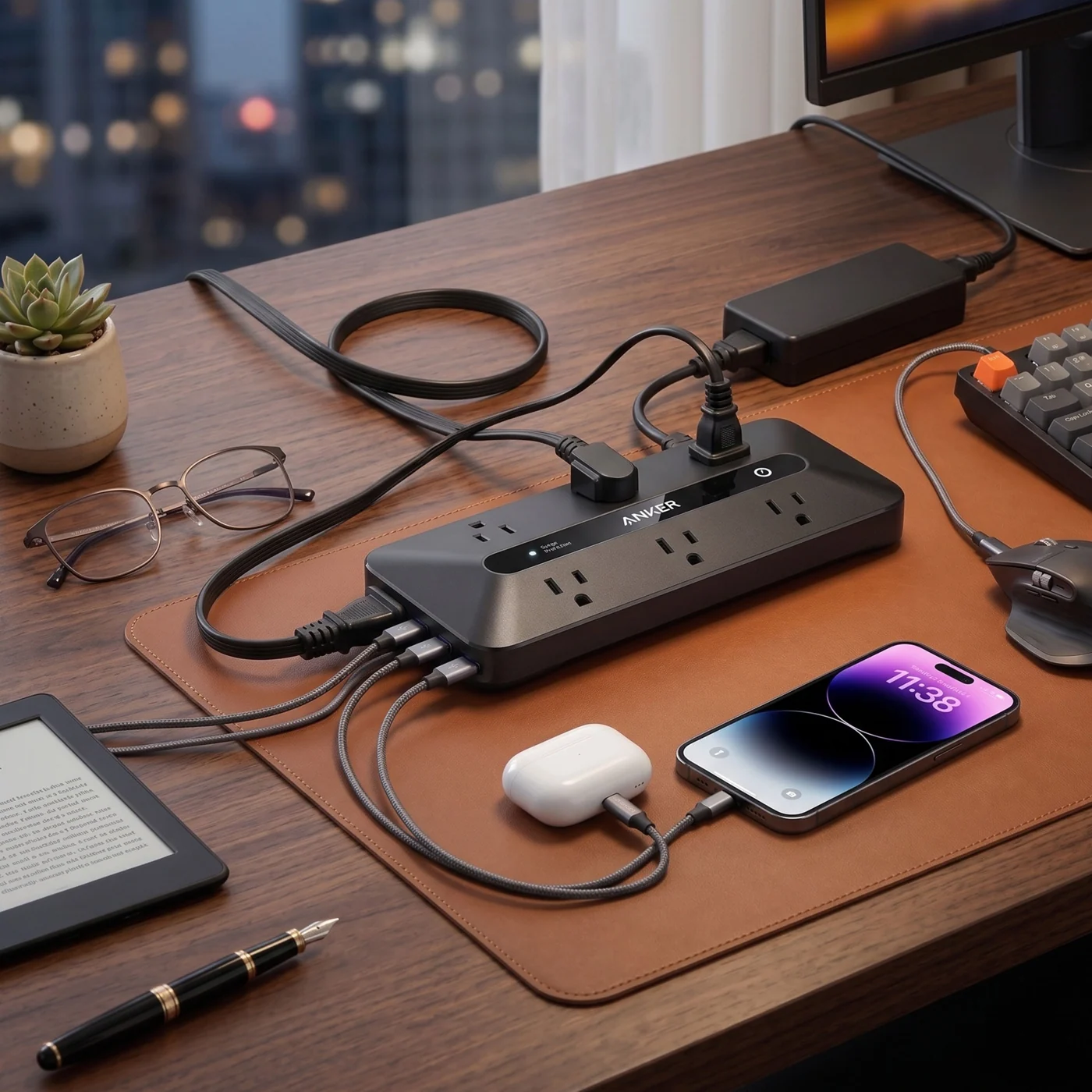
Features widely spaced AC sockets to accommodate bulky transformers, 3 integrated USB ports, and a razor-thin 45-degree angle flat plug that allows desks to sit flush against the wall without bending wires.
What owners like
- Ultra-slim flat plug fits into tight spaces behind furniture
- Certified surge protection safeguards expensive PC rigs & displays
- Integrated USB ports eliminate the need for standalone USB wall plugs
What owners flag
- USB ports are standard 12W, not high-wattage Type-C fast charging
- Single master power switch without individual outlet control
Good fit if: you need reliable power distribution behind tight desk clearances. Skip it if: you require more than 6 AC plugs simultaneously.
Problem: Slouching & cervical neck fatigue from low screens
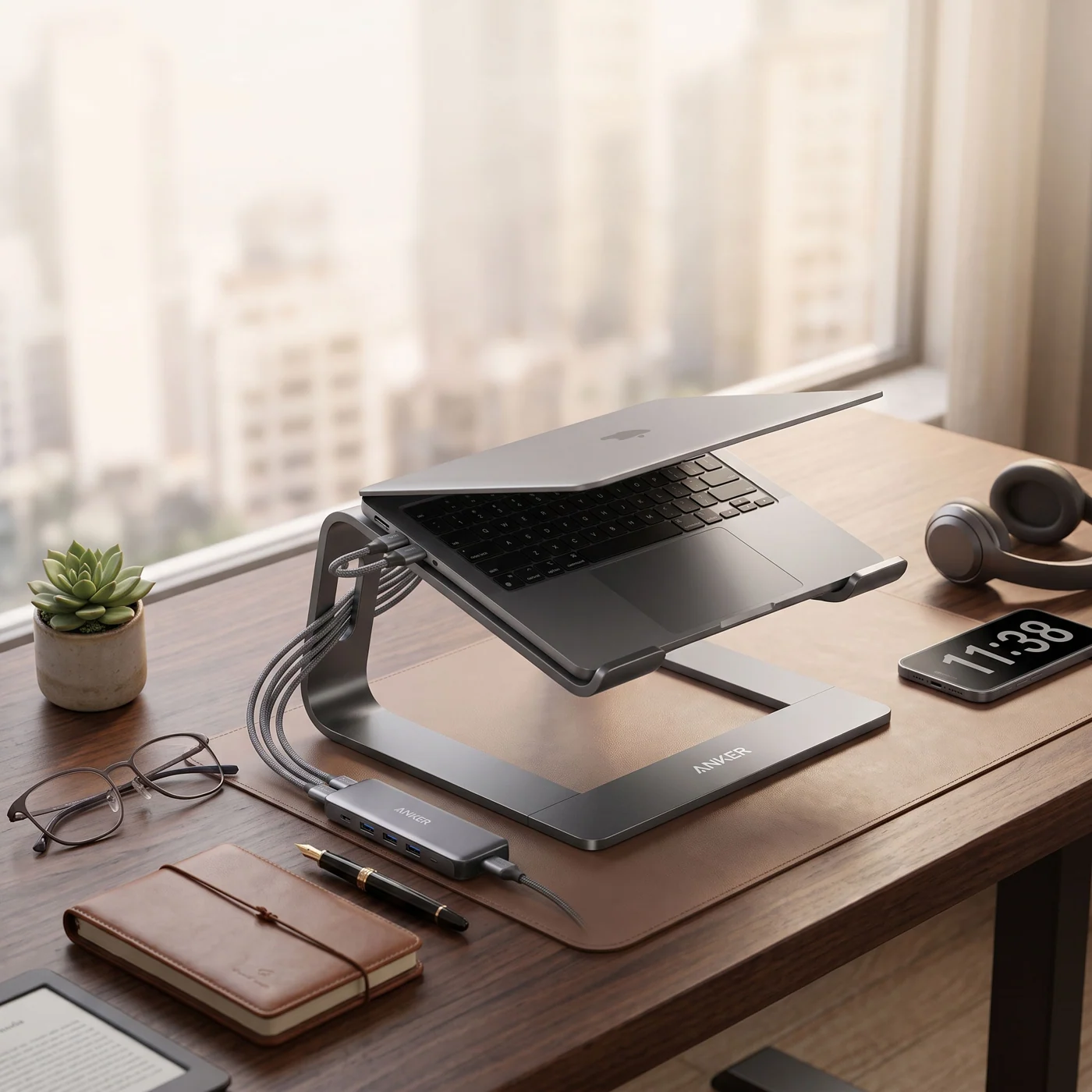
Elevates laptop screens to proper ergonomic eye level, relieving cervical spine compression. Crafted from rigid aircraft-grade aluminum, its open-air architecture prevents thermal throttling during sustained high workloads.
What owners like
- Raises screen to natural posture line to prevent forward neck lean
- Sturdy aluminum frame rated for heavy 17-inch laptops
- Open underside promotes massive airflow cooling
What owners flag
- Must be paired with external keyboard/mouse for comfortable typing
- Fixed height (non-collapsible structure)
Good fit if: you work on a laptop at a stationary desk setup. Skip it if: you need a folding stand for frequent coffee shop travel.
Problem: Washed-out, grainy video on Zoom & client calls
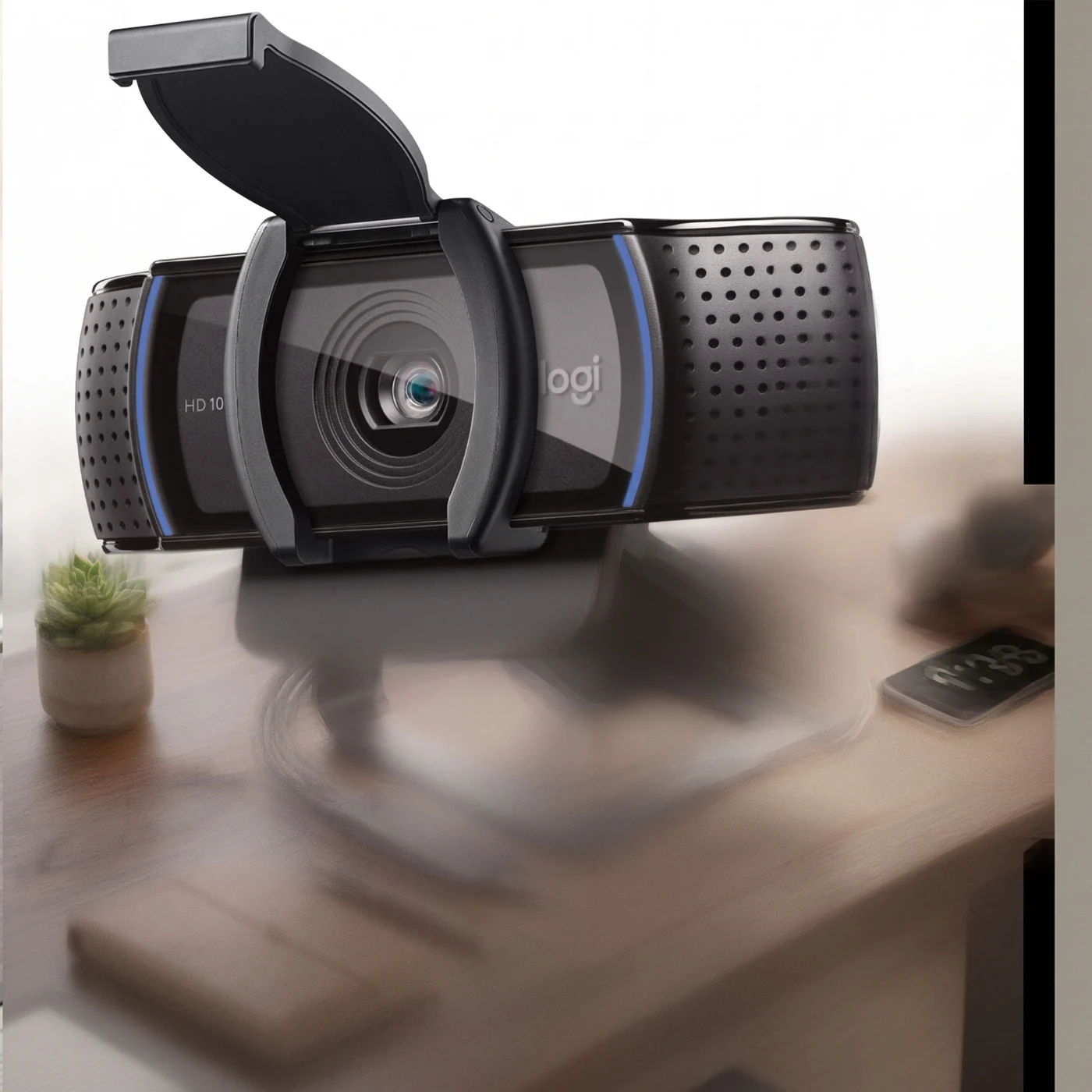
Built-in laptop webcams offer poor sensors and awkward upward nose angles. The C920s mounts directly atop external monitors, providing 1080p glass optics, automatic low-light correction, and a physical privacy shutter.
What owners like
- Sharp 1080p autofocus with realistic natural skin rendering
- Physical shutter guarantees hardware privacy when offline
- Stereo noise-reducing microphones enhance speech clarity
What owners flag
- Standard USB-A plug (requires adapter on newer MacBooks)
- Still performs best with balanced room lighting
Good fit if: you take client meetings and team calls on external monitors. Skip it if: your laptop already has a sharp built-in 1080p/4K camera.
Problem: Loose charging cables slipping behind the desk
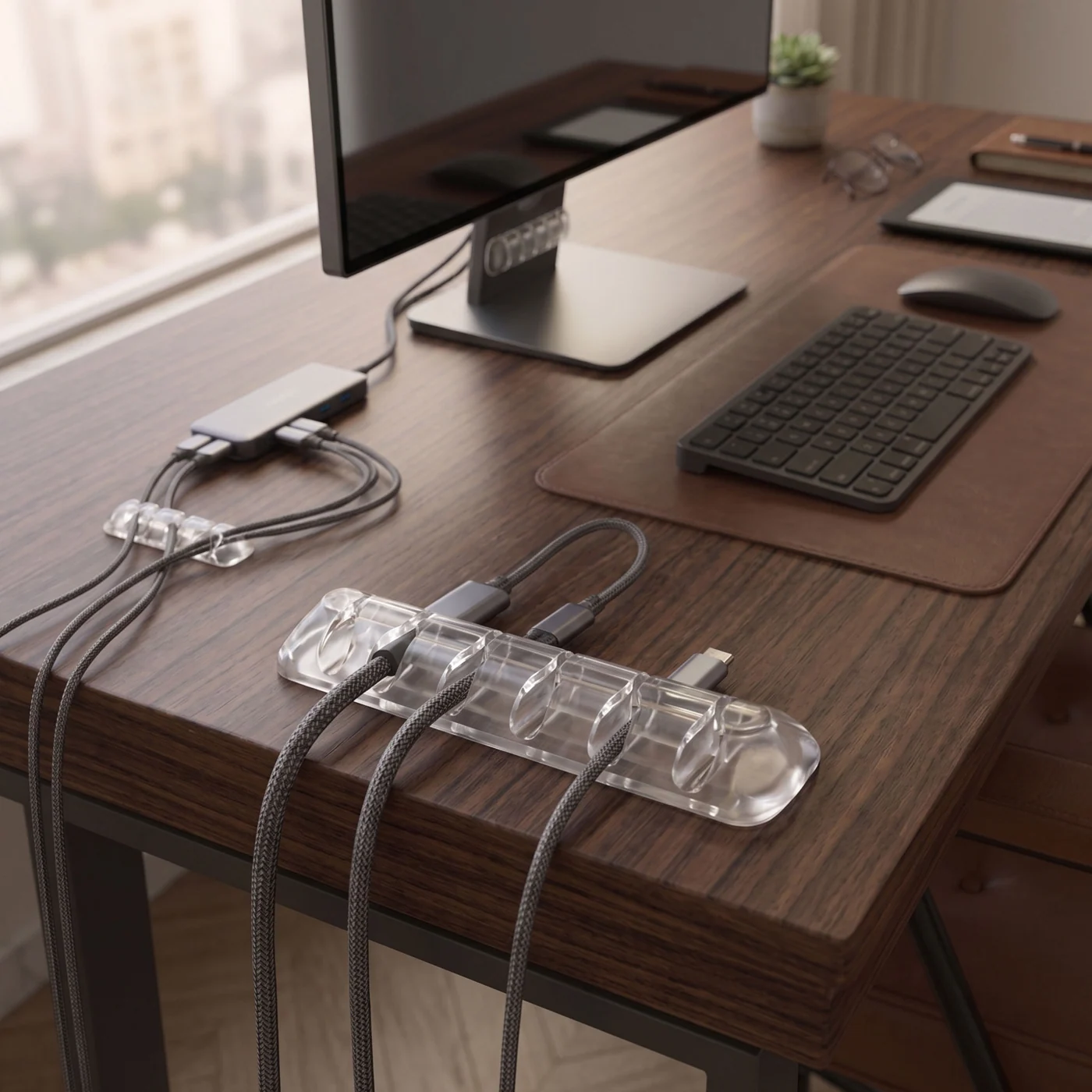
An ultra-affordable $8 upgrade that stops daily desk frustration. Clear silicone channels anchor charging cords, USB leads, and audio wires to the edge of the desk so they never drop behind furniture.
What owners like
- Over 24,000 verified owner ratings — tried and tested durability
- Crystal-clear minimalist profile matches all wood and glass surfaces
- High-tack 3M adhesive leaves zero residue on removal
What owners flag
- Surface must be cleaned with rubbing alcohol before sticking
- Not designed for extra-heavy duty braided appliance cords
Good fit if: you frequently lose loose charging cables behind your desk. Skip it if: you exclusively use stationary wireless charging pads.
Problem: Bulky, mushy keyboards consuming valuable space
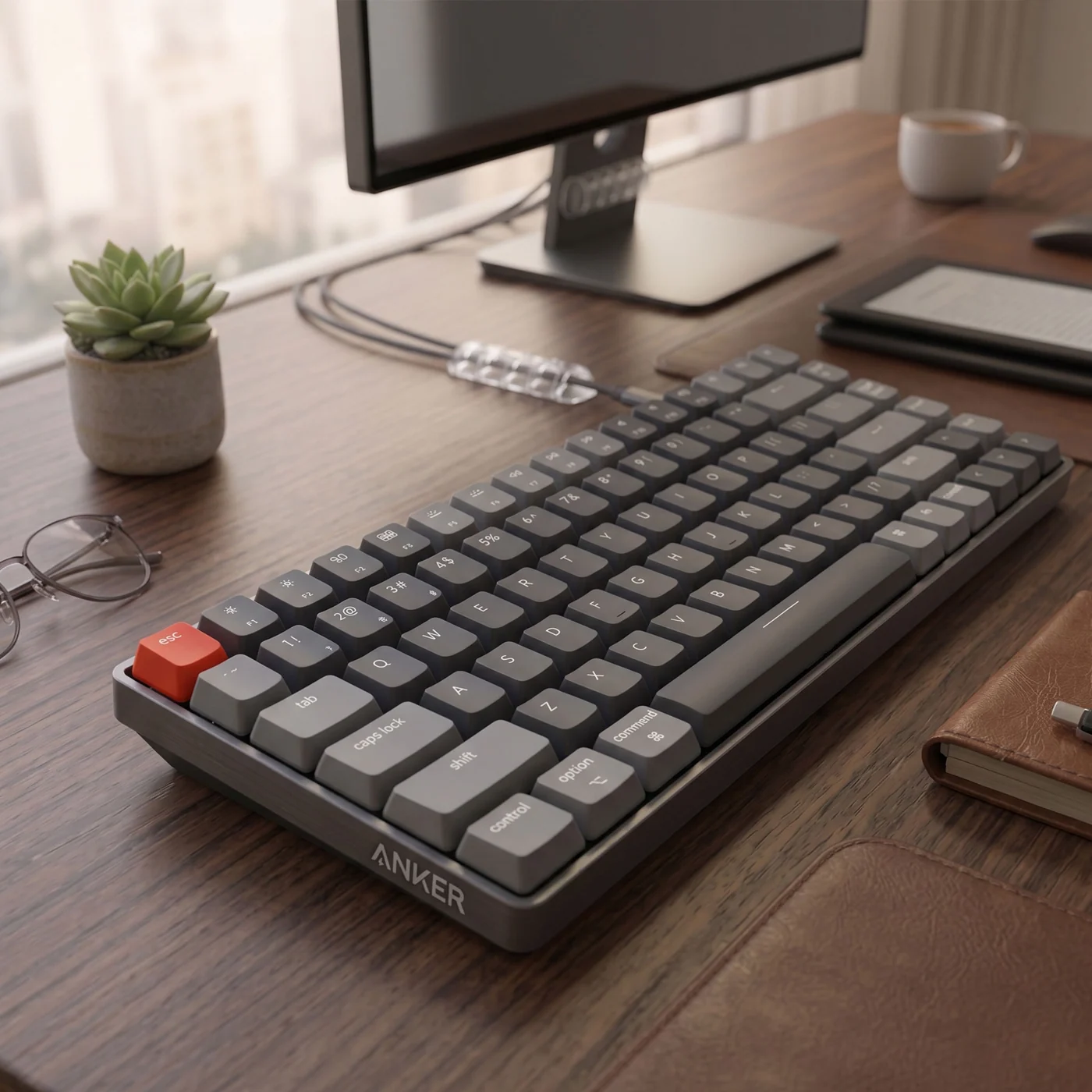
A 75% compact mechanical board that is 40% thinner than traditional clunky switches. Offers crisp tactile feedback without wrist strain, and seamlessly toggles across Mac, Windows, and iPad via Bluetooth 5.1.
What owners like
- Low profile switches eliminate the need for a separate wrist rest
- Hot-swappable optical switches for customized typing feels
- Instant multi-device switching between 3 paired devices
What owners flag
- Low-profile key travel feels different than standard deep mechanical switches
- Compact 75% layout does not include dedicated tenkey numpad
Good fit if: you want tactile typing satisfaction in a clean, compact frame. Skip it if: you do heavy numerical accounting work requiring a numpad.
Problem: Cables dangling & catching on standing desk frames
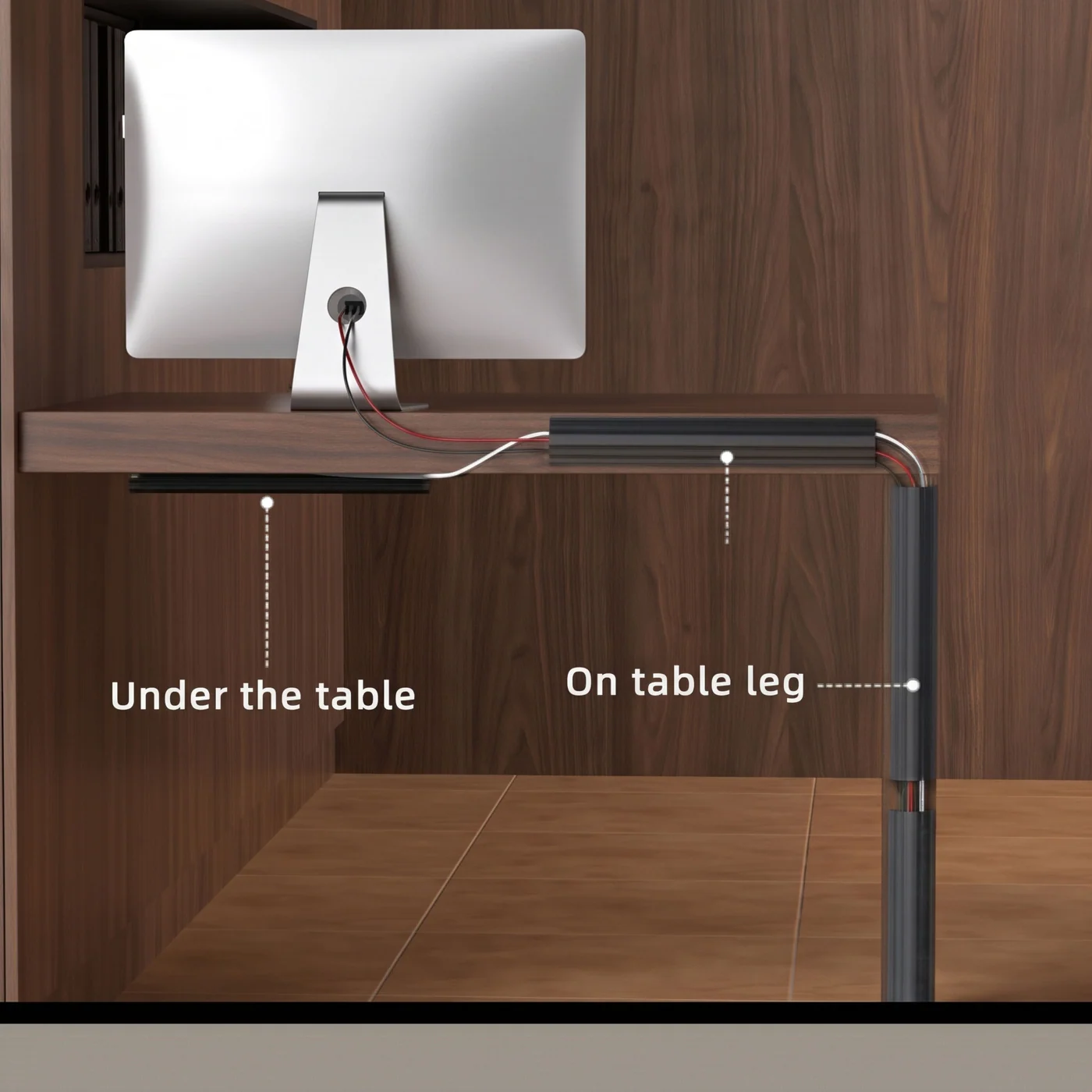
The definitive cable management solution for electric standing desks. Clamps securely onto tabletop lips in 2 minutes without drills or permanent screws, keeping power bricks and cords safe as the desk moves up and down.
What owners like
- 100% no-drill clamp installation prevents tabletop damage
- Prevents standing desk wires from stretching or snagging on legs
- Open wire design allows passive airflow for hot power supplies
What owners flag
- Requires desktop thickness between 0.4 and 2.3 inches
- Requires at least 1.5 inches of overhang at the rear of the desk
Good fit if: you own a height-adjustable sit-stand desk. Skip it if: your desk frame sits completely flush with no rear clamp overhang.
Full List at a Glance
| Product | Problem Solved | Verified Price |
|---|---|---|
| BenQ ScreenBar | Eye strain & screen glare | $248.56 |
| Yecaye Cable Management Box | Visible power strip clutter | $47.98 |
| Anker MagGo 3-in-1 Charger | Multi-device charging friction | $59.74 |
| Anker 555 USB-C Hub | Laptop port shortage | $48.16 |
| Anker 6-Outlet Surge Protector | Outlet shortage & surge danger | $51.98 |
| Nulaxy Laptop Stand | Neck & cervical spine strain | $24.99 |
| Logitech C920s Pro | Poor video call quality | $59.99 |
| Syncwire Cable Clips (5-Pack) | Cables sliding off desk edge | $7.99 |
| Keychron K3 V2 | Bulky, mushy stock keyboard | $84.99 |
| Yecaye Under-Desk Cable Tray | Dangling standing desk cables | $33.98 |
*Prices on Amazon verified as of August 2026. Live inventory and promotions may adjust dynamically.
Frequently Asked Questions
What is the most essential accessory for a clean desk setup?
For visual cleanliness, a no-drill under-desk cable tray paired with a cable management box yields the highest immediate impact. For health and daily comfort, a monitor light bar like the BenQ ScreenBar is undisputed for relieving eye fatigue.
How do you manage cables on a standing desk without drilling holes?
Use clamp-on under-desk cable management trays (such as the Yecaye No-Drill Tray). They securely attach to the rear overhang of your tabletop via adjustable C-clamps, holding heavy power strips and wire bundles safely without damaging the wood.
Does a monitor light bar cause screen glare or reflections?
High quality monitor light bars like the BenQ ScreenBar use an asymmetrical optical design that casts illumination exclusively downward onto your desk surface, completely avoiding direct glare and reflections on the monitor glass.