Best Monitors for Small Desks: A Space-First Buying Guide
For a compact desk, start with usable viewing distance and stand depth, then choose 24–27 inches based on resolution and eyesight. A slim 24-inch display is the safer fit for shallow worktops; a 27-inch QHD screen earns its footprint when you need more readable workspace. Measure before shopping, including the base, cables and keyboard zone.
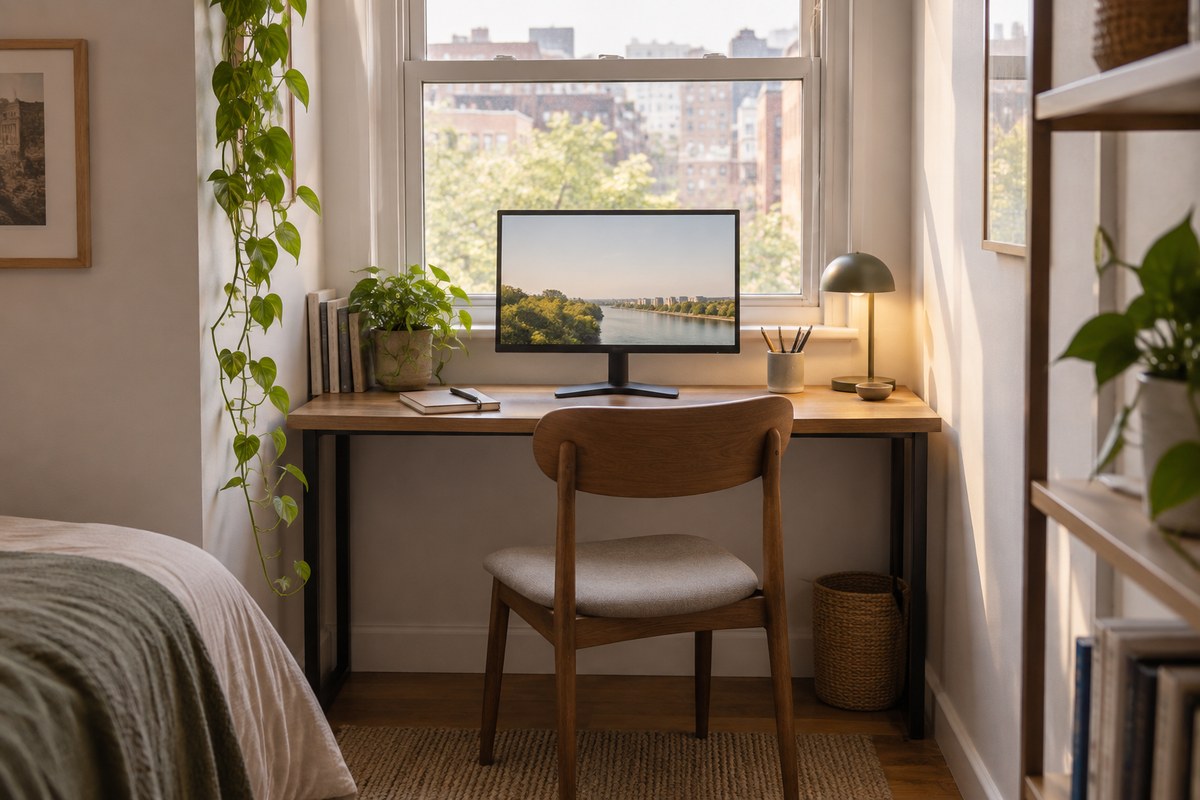
For a compact desk, start with usable viewing distance and stand depth, then choose 24–27 inches based on resolution and eyesight. A slim 24-inch display is the safer fit for shallow worktops; a 27-inch QHD screen earns its footprint when you need more readable workspace. Measure before shopping, including the base, cables and keyboard zone.
| Option | Strength | Tradeoff |
|---|---|---|
| 24-inch 1080p | Compact, familiar text scale | Less workspace for side-by-side windows |
| 27-inch QHD | More usable workspace | Needs more depth and careful placement |
| Monitor arm | Adjustable, clears surface | Requires compatible, sturdy desk |
Measure the desk before comparing screen sizes
A small desk is not defined by its width alone. Depth determines whether a screen can sit at a comfortable distance while leaving room for a keyboard, notebook and hands. Measure from the wall to the front edge, then subtract the space you need for typing. Include the monitor stand’s rear reach; a large V-shaped base can consume valuable surface even when the panel itself looks compact.
OSHA describes a broad preferred monitor viewing range of roughly 20–40 inches, while emphasizing comfortable posture and legible text. Treat that as a starting range, not a personal prescription. If your desk is shallow, a thin display, wall arm or clamp mount may create room, but only if the mounting surface and clearances are suitable.
Choose size and resolution together
A 24-inch 1080p monitor keeps text and interface elements familiar and usually costs less, but it provides less fine workspace than higher-resolution alternatives. A 24-inch 1440p screen makes small text denser; some people like the extra clarity, while others need operating-system scaling. At 27 inches, QHD is a common middle ground for office work because it increases workspace without demanding the bandwidth and scaling tradeoffs of 4K.
There is no universal “best” size. If you mainly write, use spreadsheets, or keep one application open, a 24-inch panel can feel calm and easy to scan. If you arrange two windows side by side, a 27-inch screen may reduce window switching. Before buying, test your current screen at a comfortable distance and note whether you wish for larger text or more room.
Keep the stand from taking over
A monitor’s listed dimensions often omit how far its stand projects onto the desk. Check the full footprint, height range, tilt adjustment and whether the base can sit close to the wall. A compact central stand tends to free more room than a wide V-shaped foot. If the bundled stand cannot position the screen correctly, verify that the display supports a VESA mount and check the exact pattern and weight limits.
An arm is not automatically the right answer. A clamp needs a compatible desk edge, enough underside clearance and a surface strong enough for the load. Grommet mounts need a hole. Leave room for the arm to move without striking a wall or shelf, and plan cable slack. A stand is simpler and often more stable; an arm is useful when its movement solves a real positioning problem.
Control glare, ports and the cable footprint
Place the screen perpendicular to a nearby window when possible, then adjust blinds and brightness before treating a brighter panel as the solution. Matte coatings reduce distracting reflections but can make the image look less glossy; glossy screens can appear vivid while reflecting lamps and windows. Consider your room at the time you actually work, not only a showroom image.
List the devices you connect: laptop, console, webcam, storage, speakers and charger. A basic HDMI/DisplayPort monitor can be enough if those devices are already handled by the computer. USB-C video is useful only when both the computer port and display support the required video mode; charging wattage and USB data are separate specifications.
A practical short list and setup check
For the smallest surface, compare 24-inch models with a compact stand and enough text clarity for your eyesight. For a shared work and entertainment setup, compare 27-inch QHD models with height adjustment and the inputs your devices use. Treat “frameless” marketing as a secondary detail: a stable stand, readable panel and useful return policy matter more day to day.
After setup, center the screen, keep the top at or a little below eye level, and adjust zoom until text is comfortable without leaning forward. OSHA recommends pairing monitor selection with the desk, chair and keyboard, which is the right way to judge a compact setup. If you repeatedly crane your neck or push the chair away to see, change placement before blaming the diagonal size.
A practical comparison before you buy
Make a short two- or three-option comparison using the real constraint behind “monitor for small desk.” Record the exact reference or version, one feature that matters, one tradeoff you can accept, and the return period. This keeps the decision anchored to your own needs and makes differences between current listings easier to spot. If two products appear equal, favor the clearer documentation, better fit and more dependable seller terms over a dramatic but unverified headline claim.
The affiliate link below opens a search for relevant current listings, not a promise that a single item is best or in stock. Search results can include variants, marketplace sellers and changing prices. Open the precise offer, compare the model number with the manufacturer’s page, and read recent buyer feedback for recurring fit or compatibility concerns. We do not quote review averages as research data because ratings change and listings may combine versions.
The decision in one minute
- Choose by use: For a compact desk, start with usable viewing distance and stand depth, then choose 24–27 inches based on resolution and eyesight. A slim 24-inch display is the safer fit for shallow worktops; a 27-inch QHD screen earns its footprint when you need more readable workspace. Measure before shopping, including the base, cables and keyboard zone.
- Check the exact version: For monitor for small desk, confirm the specific model, listing details and current manufacturer guidance.
- Test the fit: Measure your own desk and computer setup before ordering.
- Keep expectations honest: Prices, stock, seller, specifications and return terms can change; verify them on the current product page.
Frequently asked questions
Is a 27-inch monitor too large for a small desk?
Not always. Desk depth and viewing position matter more than width alone. Measure the stand and aim for a posture that lets you read without leaning or turning your head.
Is 24-inch 1080p enough for office work?
It can be, especially for documents and general productivity. Compare text clarity in person if possible; resolution preference and eyesight vary.
Should I use a monitor arm?
Use one when it improves height, distance or freed desk space and your desk safely supports the clamp. A good stand is simpler when it already fits.
How this guide was built
This is a research-based editorial guide, not a claim of laboratory testing or long-term ownership of every product mentioned. We checked manufacturer, standards or workplace references where relevant and translated them into practical buying questions. We do not invent customer-review statistics. Confirm current availability, specifications, seller, price and return terms on the live product page.
Affiliate disclosure
Links to Amazon may earn NextGen Essentials a commission from qualifying purchases at no additional cost to you. The illustration is generated and is not product photography. Confirm the exact item details on the linked listing.